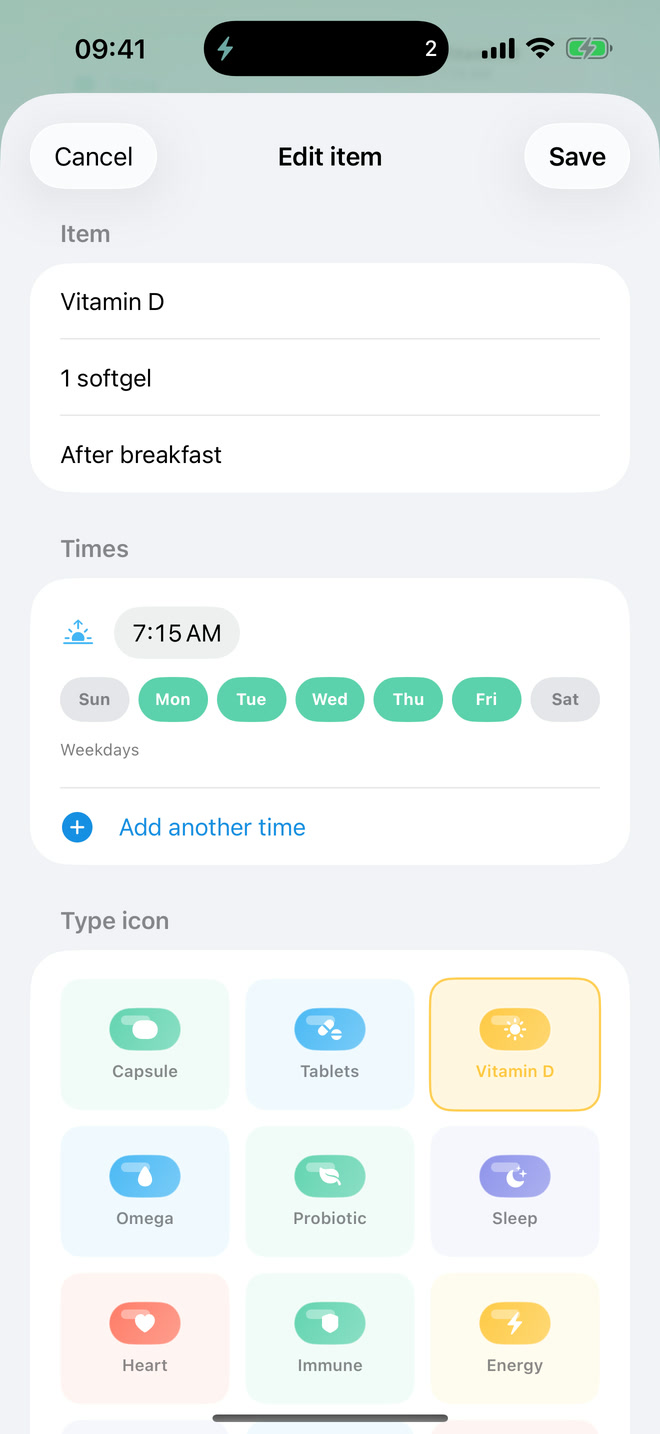
Choose one or more local reminder times and the weekdays when each plan applies.

A medication reminder that fits your actual week.
Set one or more local reminder times and choose the weekdays for each plan. Mark doses taken, missed, or snoozed, review a seven-day history, and keep today's routine visible in optional Home Screen widgets.
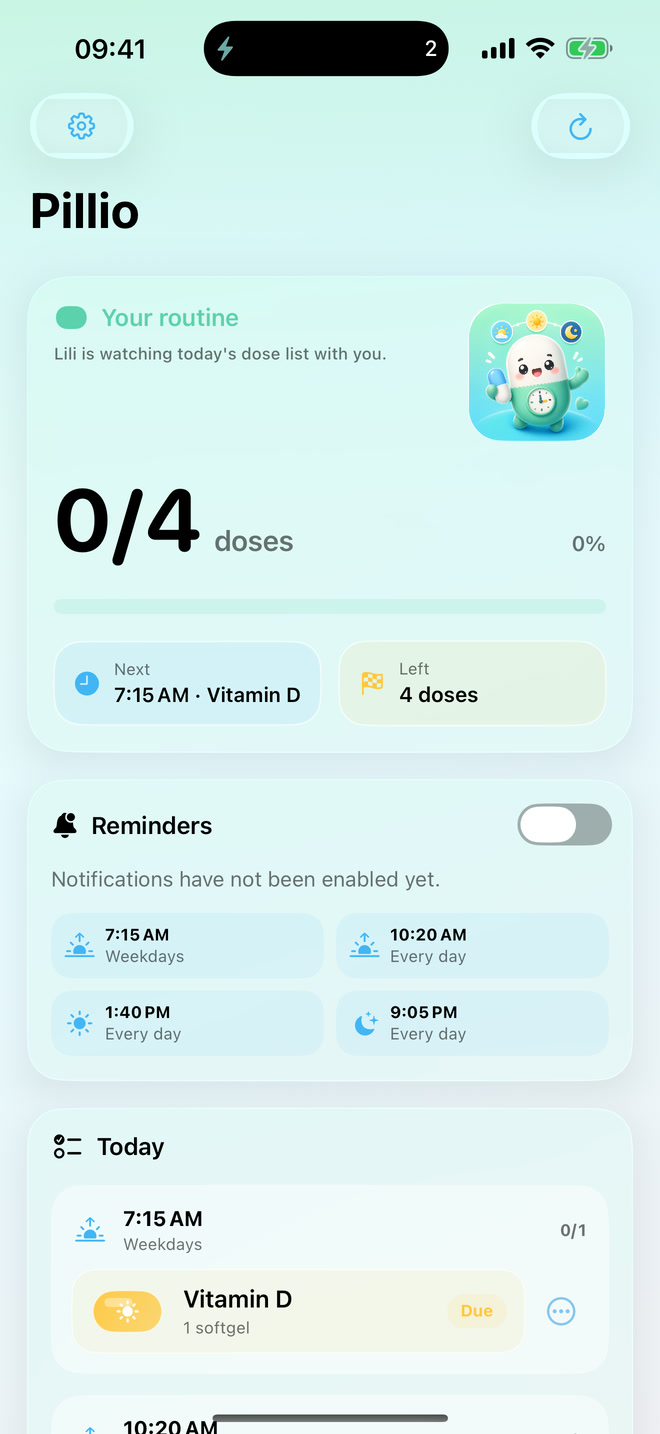
35-second product film
Your routine, clear and close.
Set the exact times your routine needs, then check off a dose from the Home Screen widget in one tap—without opening the app.
- Platforms
- iPhone and iPad · iOS 17+
- Core app
- Free custom schedules and seven-day history
- Widgets
- Optional one-time unlock
- Data
- Local-first · no account
Choose the exact moments that fit your week.
Pick any reminder time, choose its weekdays, and add another time when one plan needs more than one moment in the day.
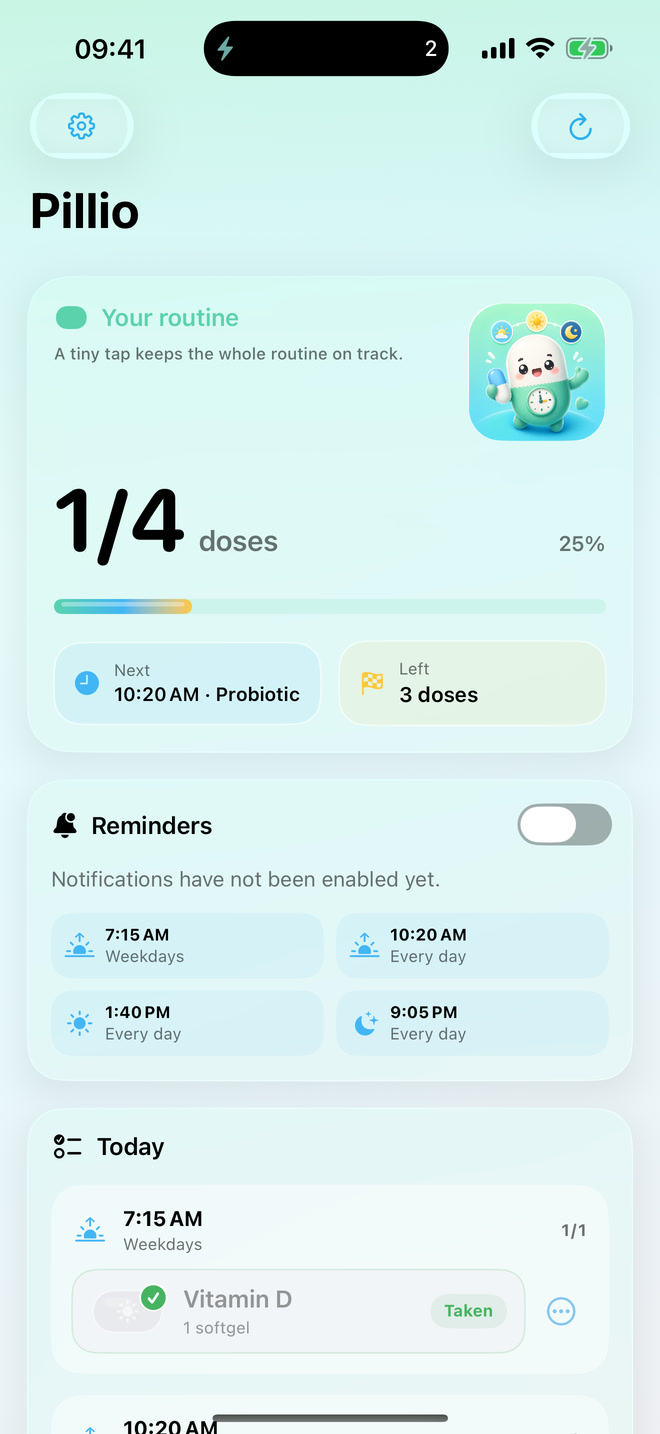
A calm medication checklist for changing routines.
Add medications or supplements, choose the times and days that fit, and keep a local record of what happened. Pillio remains a reminder and log—not a medical decision tool.
Add multiple reminder times to a plan and select the weekdays when it applies.
Use a clear status for each scheduled dose instead of a single all-or-nothing checkoff.
Review the last seven days and see completed or missed doses without creating an account.
No account. No ads. No tracking.
Your item list, custom schedules, reminder preferences, and dose-status records stay on your device and the app group shared with the widget.
Read the Pillio privacy policyPillio is a reminder and checkoff log. It is not medical advice, diagnosis, treatment, or a dosage calculator. Follow your clinician's instructions and medication labels.
Pillio questions
What to know before using Pillio.
Product boundaries, reminder behavior, widget access, and privacy—stated plainly.
Can I choose my own reminder times and days?
Yes. Each plan can include one or more local reminder times and the weekdays when it applies. Times follow your device's current time zone.
How can I record a dose?
Mark it taken or missed, or snooze it when you need more time. Pillio uses these local records to build the seven-day history.
Can I check off a dose from a widget?
Yes. The optional widget unlock adds Home Screen dose boards and checkoff actions so today's routine stays visible.
Are notification times guaranteed?
No. Pillio schedules reminders locally, but delivery remains controlled by iOS settings, Focus, Notification Summary, device state, and system scheduling.
Does medication data leave my device?
No account or server sync is required. Your plans, notes, schedules, dose statuses, and history remain on the device and its widget app group.
Does Pillio calculate dosages?
No. Pillio does not provide medical advice, diagnosis, treatment, or dosage calculations. Follow clinician instructions and medication labels.
Need help with Pillio?
Find common questions, reminder guidance, restore-purchase help, and contact details.